
Small Business Technology Checklist: Everything You Need to Launch
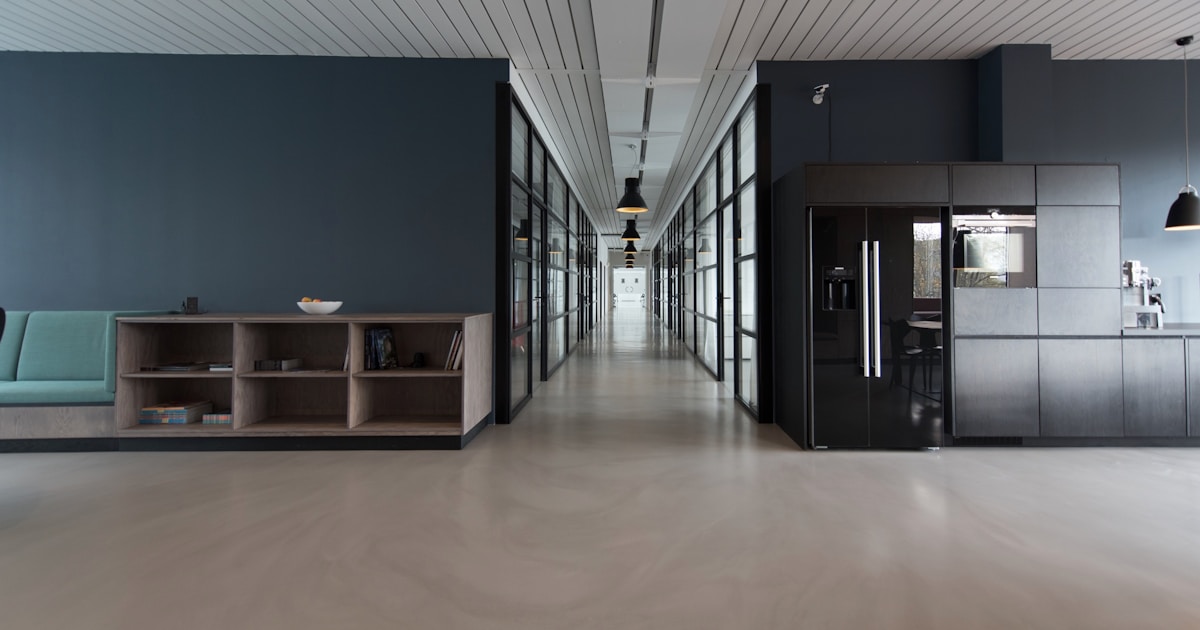
Starting a small business requires careful planning, especially when it comes to technology infrastructure. The right tech stack can streamline operations, improve customer service, and set your business up for growth. This comprehensive checklist covers all essential technology components needed to launch and run a successful small business in 2026.
Essential Computer Equipment
Desktop Computers vs. Laptops
Your choice between desktop and laptop computers depends on your business needs:
Desktop Computers - Best for:
- Stationary workstations
- Heavy computing tasks
- Cost-effective performance
- Easy upgrades and maintenance
- Multiple monitor setups
- Better ergonomics with external peripherals
Browse our selection of desktop computers for reliable business workstations.
Laptops - Best for:
- Mobile workforce
- Remote work capabilities
- Space-constrained offices
- Client presentations
- Flexible work arrangements
- Business travel
Check out our laptop collection for portable business solutions.
Specifications to Consider
For General Business Use:
- Intel Core i5 or AMD Ryzen 5 processor
- 8-16GB RAM
- 256GB SSD minimum
- Windows 11 Pro or macOS
- Built-in Wi-Fi and Bluetooth
For Specialized Tasks:
- Graphic design: Dedicated GPU, 16-32GB RAM
- Video editing: High-end CPU, ample storage
- Data analysis: Fast CPU, plenty of RAM
- CAD work: Workstation-class components
Printing and Document Management
Business Printers
Every business needs reliable printing capabilities:
All-in-One Printers
Perfect for most small businesses:
- Print, scan, copy, and fax capabilities
- Space-saving design
- Cost-effective for low to medium volume
- Wireless connectivity options
- Mobile printing support
Explore our HP printer deals for affordable business printing solutions.
Specialized Printing Needs
- High-volume printing: Laser printers
- Color marketing materials: Professional inkjet
- Labels and receipts: Thermal printers
- Large format: Plotter printers
Printer Accessories and Supplies
Don't forget essential printing supplies:
- Extra ink cartridges or toner
- Various paper types and sizes
- Maintenance kits
- Printer stands or cabinets
Find all necessary printer accessories to keep your office running smoothly.
Network Infrastructure
Internet Connectivity
Reliable internet is crucial for modern business:
Connection Types:
- Fiber optic: Best speed and reliability
- Cable: Good speed, widely available
- DSL: Budget option, slower speeds
- Satellite: Rural areas, weather dependent
- 5G: Emerging option, improving coverage
Bandwidth Requirements:
- Basic office work: 25 Mbps per 10 employees
- Video conferencing: 5 Mbps per concurrent call
- Cloud applications: 10-20 Mbps per user
- File sharing: Additional 10-50 Mbps
Wireless Networking
Wi-Fi is essential for modern businesses:
Router Selection
- Wi-Fi 6 or newer standard
- Dual-band or tri-band capability
- Adequate coverage for office space
- Guest network capability
- Business-grade security features
Browse our router collection for business networking solutions.
Network Security
- WPA3 encryption
- Regular firmware updates
- Strong admin passwords
- Network monitoring tools
- Guest network isolation
Consider professional networking equipment for enhanced security and performance.
Security Systems
Physical Security
Protect your business premises and assets:
Security Camera Systems
- HD or 4K video quality
- Night vision capabilities
- Motion detection alerts
- Remote monitoring access
- Cloud or local storage options
- Weather-resistant outdoor cameras
Check out our security camera systems for comprehensive business protection.
Access Control
- Key card or fob systems
- Smart locks with mobile access
- Biometric scanners
- Visitor management systems
- Integration with security cameras
Cybersecurity Essentials
Protect your digital assets:
Software Security
- Business-grade antivirus
- Firewall protection
- Regular security updates
- Email filtering
- Data backup solutions
- Employee security training
Data Protection
- Regular automated backups
- Cloud storage redundancy
- Local backup drives
- Disaster recovery plan
- Data encryption
Communication Systems
Business Phone Systems
Professional communication is crucial for customer service:
VoIP Systems
- Cost-effective calling
- Scalable to business growth
- Advanced features (voicemail, call routing)
- Integration with business applications
- Mobile app support
Traditional Phone Lines
- Reliable during power outages
- Simple setup and use
- No internet dependency
- Higher monthly costs
- Limited advanced features
Video Conferencing
Essential for remote meetings and client calls:
Hardware Requirements
- HD webcams
- Quality microphones
- Good speakers or headsets
- Adequate lighting
- Stable internet connection
Software Solutions
- Zoom for general meetings
- Microsoft Teams for Office integration
- Google Meet for G Suite users
- Webex for enterprise features
- Skype for simple calls
Software and Applications
Operating Systems
Choose the right OS for your business needs:
Windows
- Broad software compatibility
- Enterprise features
- Active Directory integration
- Regular security updates
- Familiar interface for most users
macOS
- Excellent for creative work
- Built-in security features
- Seamless Apple ecosystem integration
- Lower malware risk
- Premium hardware build quality
Essential Business Software
Office Productivity
- Microsoft Office 365 or Google Workspace
- Email client and calendar
- Document collaboration tools
- Project management software
- Note-taking applications
Accounting and Finance
- QuickBooks for small business accounting
- FreshBooks for freelancers
- Xero for cloud-based accounting
- PayPal or Stripe for payments
- Banking software integration
Customer Relationship Management
- Salesforce for enterprise CRM
- HubSpot for marketing automation
- Zoho CRM for small businesses
- Pipedrive for sales pipeline
- Customer support ticketing systems
Data Storage and Backup
Local Storage Solutions
On-premises data storage for immediate access:
Network Attached Storage (NAS)
- Centralized file sharing
- RAID redundancy options
- Remote access capabilities
- Automatic backup features
- Scalable storage capacity
External Hard Drives
- Affordable backup option
- Portable for off-site storage
- Simple plug-and-play setup
- Manual backup process
- Physical security required
Cloud Storage Services
Remote data storage and access:
Benefits of Cloud Storage
- Access from anywhere
- Automatic synchronization
- Disaster recovery protection
- Scalable storage capacity
- Collaborative features
- Professional data security
Popular Cloud Services
- Google Drive for G Suite integration
- Microsoft OneDrive for Office 365
- Dropbox for file sharing
- Box for enterprise security
- Amazon S3 for developer needs
Point of Sale (POS) Systems
Retail Businesses
If you sell products directly to customers:
Modern POS Features
- Touch screen interface
- Inventory management
- Payment processing
- Customer database
- Sales reporting
- Integration with accounting software
Payment Processing
- Credit card readers
- Contactless payments
- Mobile wallet support
- EMV chip compliance
- Receipt printing
Service Businesses
For appointment-based or service-oriented businesses:
- Appointment scheduling software
- Customer management systems
- Invoice generation
- Time tracking tools
- Payment collection
Budget Planning and Implementation
Technology Budget Allocation
Typical small business technology spending:
- Computers and devices: 40-50%
- Software licenses: 20-30%
- Network infrastructure: 10-15%
- Security systems: 10-15%
- Printing and supplies: 5-10%
- Backup and storage: 5-10%
Implementation Timeline
Phase 1: Essential Infrastructure (Week 1-2)
- Set up internet connection
- Install networking equipment
- Configure computers and basic software
- Establish email and communication
Phase 2: Business Operations (Week 3-4)
- Implement accounting software
- Set up CRM system
- Configure backup solutions
- Install security measures
Phase 3: Optimization and Growth (Month 2+)
- Advanced software training
- Process automation setup
- Performance monitoring
- Scalability planning
Vendor Selection and Support
Choosing Technology Partners
Select vendors based on:
- Product quality and reliability
- Customer support quality
- Pricing and value
- Scalability options
- Integration capabilities
- Local service availability
Support and Maintenance
Plan for ongoing technology needs:
- Regular software updates
- Hardware maintenance schedules
- User training programs
- Technical support contacts
- Replacement planning
- Performance monitoring
Future Growth Considerations
Scalability Planning
Choose solutions that can grow with your business:
- Modular software licensing
- Expandable hardware systems
- Cloud-based solutions
- Flexible service contracts
- Integration capabilities
Technology Refresh Cycles
Plan for regular equipment updates:
- Computers: 3-4 years
- Printers: 5-7 years
- Network equipment: 5-8 years
- Software: Annual subscription renewals
- Security systems: 5-10 years
Conclusion
Launching a small business with the right technology foundation sets you up for success and growth. While the initial investment may seem substantial, quality technology infrastructure pays for itself through improved efficiency, better customer service, and reduced operational costs.
Start with the essentials and gradually build out your technology stack as your business grows. Focus on reliable, scalable solutions that can adapt to changing needs rather than the cheapest options available.
Remember that technology is an investment in your business's future. Choose wisely, plan for growth, and don't hesitate to seek professional advice when needed. With the right technology foundation, your small business will be well-equipped to compete and thrive in today's digital marketplace.